
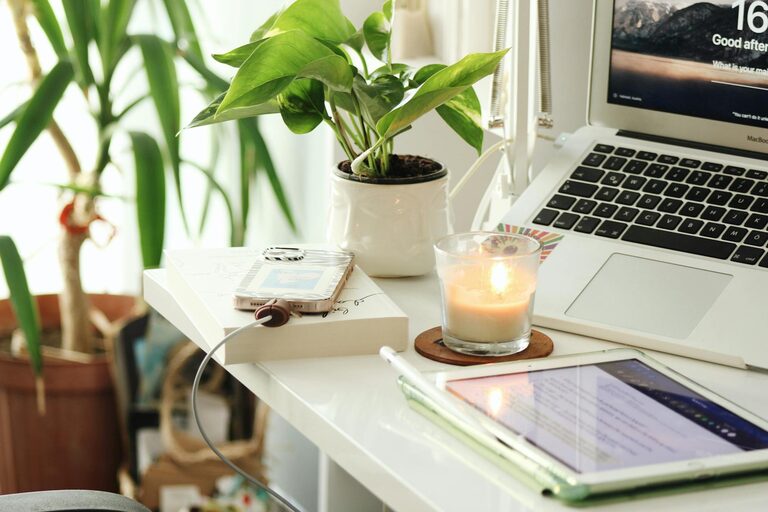
Creating a home workspace that balances relaxation and productivity can significantly improve your work-from-home experience. When your workspace feels comfortable and inviting, it’s easier to stay focused, feel motivated, and reduce stress. Whether you have a dedicated room or just a small corner, there are many ways to design an environment that supports your well-being and efficiency. Here are some helpful tips to get started.
Choose the Right Location
Finding the best spot for your workspace is the first step in making it relaxing and functional.
– Natural Light: Place your desk near a window if possible. Natural light helps improve mood and alertness.
– Quiet Area: Choose a space away from noisy parts of your home to maintain concentration.
– Minimal Distractions: Avoid high-traffic areas where interruptions are frequent.
Selecting a calm, well-lit corner will create a strong foundation for your ideal workspace.
Invest in Ergonomic Furniture
Comfort is key to a productive work environment. Ergonomic furniture supports your body and reduces strain.
– Desk: Choose a desk with enough surface area for your computer, keyboard, and any other tools you use.
– Chair: An adjustable chair with lumbar support keeps your posture healthy.
– Footrest: If your feet don’t rest flat on the floor, a footrest can help improve circulation.
Proper ergonomics help you avoid discomfort and stay productive longer.
Organize and Declutter Your Space
A tidy workspace reduces stress and improves focus.
– Storage Solutions: Use shelves, bins, or desk organizers to keep items in order.
– Daily Cleanup: Spend a few minutes at the end of each day clearing your desk.
– Only Essentials: Limit your desktop to the tools and items you use regularly.
An organized space creates clarity and a sense of calm.
Personalize Your Workspace
Adding personal touches can make your workspace feel warmer and more inviting.
– Plants: Small indoor plants add color and improve air quality.
– Artwork: Hang inspiring pictures or posters that uplift your mood.
– Comfort Items: A cozy throw, soft lighting, or a favorite mug can make your area more enjoyable.
Personalization helps you feel connected to your workspace, boosting motivation.
Optimize Lighting
Proper lighting reduces eye strain and sets the tone for comfort.
– Layered Lighting: Combine natural light with task lighting and ambient lights.
– Adjustable Lamps: Use lamps with dimming options so you can control brightness.
– Avoid Glare: Position screens and lights to minimize glare on your computer.
Good lighting supports both your eyes and your mood throughout the workday.
Manage Noise Levels
Noise can be distracting and reduce productivity. Here’s how to keep noise in check:
– Noise-Canceling Headphones: Use them to block out background sounds.
– White Noise Machines: These devices create soothing sounds that mask disruptive noises.
– Soft Furnishings: Rugs, curtains, and cushions absorb sound and reduce echoes.
Controlling noise helps you maintain focus and a peaceful environment.
Create Healthy Habits
Behavioral habits within your workspace contribute to relaxation and productivity.
– Take Breaks: Schedule regular breaks to stretch or move around.
– Stay Hydrated: Keep a water bottle nearby to stay refreshed.
– Set Boundaries: Define work hours to balance productivity and relaxation.
Healthy habits support mental clarity and reduce fatigue.
Use Technology Wisely
Technology can either help or hinder your comfort and productivity.
– Cable Management: Organize cords with clips or sleeves to keep your desk neat.
– Tech Tools: Use apps or timers to stay on task without distractions.
– Blue Light Filters: Consider screen protectors or software to reduce eye strain.
Smart use of technology makes your workspace more efficient and pleasant.
Bring Nature Indoors
Natural elements can boost creativity and calmness.
– Nature Sounds: Play soft nature sounds like rain or birdsong.
– Natural Materials: Use wood or stone accessories to add grounding textures.
– Fresh Air: Open windows when possible to circulate fresh air.
Connecting with nature helps create a relaxing atmosphere that supports productivity.
Final Thoughts
Designing a relaxing home workspace is not just about looks; it’s about creating an environment where you can work comfortably and efficiently. By focusing on location, comfort, organization, and ambiance, you build a space that helps you feel focused and refreshed. Take small steps to personalize and adapt your setup, and you’ll likely notice a positive difference in your workday.
Creating the right balance between comfort and productivity doesn’t have to be complicated. With thoughtful planning, your home workspace can be a place where you enjoy working, free from unnecessary stress or distractions. Start with these tips and adjust your space as your needs evolve. You deserve a workspace that supports both your goals and well-being.